Live speech as text, on any screen you choose
Teleprompter Standalone puts the real-time transcript of an event channel on screen: the speaker's own language or a translation.
Use it on LED walls, room monitors, lower thirds, the speaker's confidence monitor, or in OBS and vMix as a browser source. We give you a link: open it in Google Chrome on the computer driving the screen or the mixer and style it from the same page, with nothing to install.
How it works
- 1
Open the link
We give you the link, one per channel. Open it in Google Chrome, or in OBS and vMix as a browser source: they run on the same engine as Chrome.
- 2
Style it
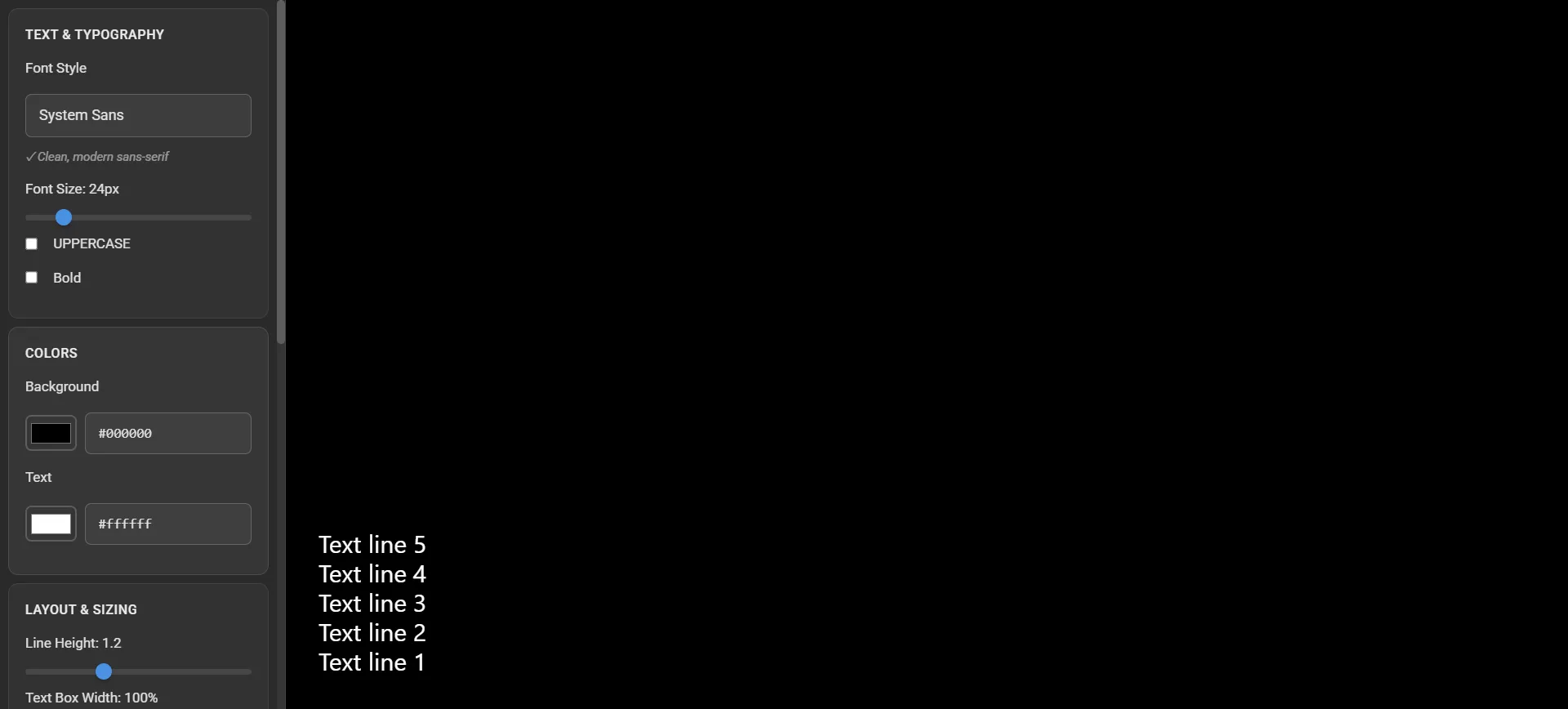
Ctrl+Shift+C opens the settings panel. In OBS and vMix, where keyboard shortcuts don't get through, just add ?controls=1 to the end of the address.
- 3
The link carries everything
Every change saves itself into the address: copy it in full to another computer and the screen opens exactly the same. If a value gets mangled, that one setting falls back to its default. Reset to Defaults takes you back to the starting look.
What you can adjust
The basic controls are always in view; Show Advanced opens up the rest. Controls are named as they appear in the interface.
Font
Typeface, size, uppercase and bold.
Colours and chroma key
Text and background colour. With a solid background the mixer can key it out and lay the text over the video.
Lines
Line height, text box width and the number of lines on screen.
Scrolling
Animation speed, from smooth to snappy. The latest sentence always stays in view. With Scroll only final results, only sentences the engine has finalised appear, without the corrections on the fly.
Subtitle-style punctuation
Drop the capital at the start of each sentence (acronyms stay intact), and remove the final full stop or turn it into an ellipsis.
Pacing
Sentences spoken a few seconds apart merge into one block, so you don't get a shopping list of clipped fragments. Lines break at a fixed number of words, for lower thirds with a steady rhythm. You also choose how many sentences stay on screen, from 5 to 50.
Format
Standard text with punctuation and capitals, bare words, numbers, dates and amounts in figures ("€25" rather than "twenty-five euros"), profanity masked.
Finishing touches
Top lines fade out instead of vanishing abruptly. Your own CSS for everything else, and a message to show when nobody is speaking.
One screen or every screen
Teleprompter Standalone
One link per screen, styled from the screen itself. The right fit for an OBS or vMix control room, a lower third, the speaker's monitor.
Teleprompter Manager
When there are lots of screens, Teleprompter Manager runs them all from a single page: several languages on one monitor, logo, QR code, banner and standby, remotely too.
Works in Google Chrome and in the OBS and vMix browsers.
Teleprompters at events

Twelve rooms, one teleprompter per room, projected by the AV desk.
Twelve rooms captioned, from Milan. FORUM PA 2026
Rome, Roma Convention Center La Nuvola · June 2026Read the case study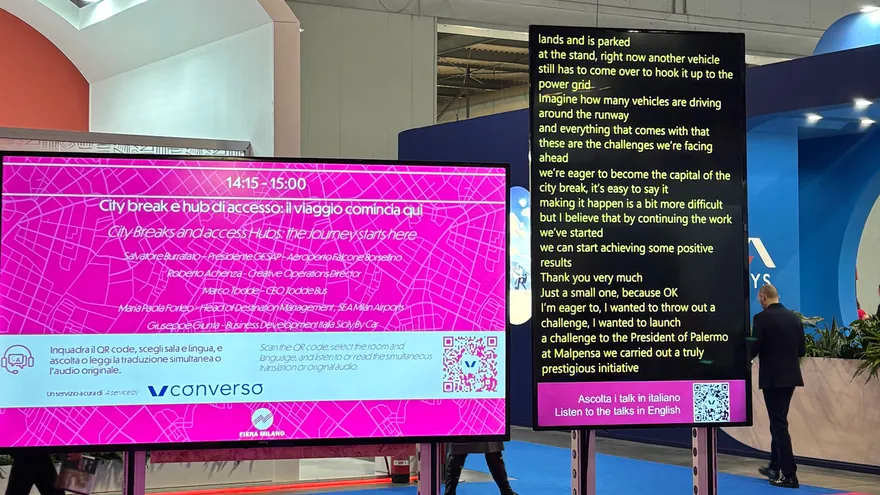
Six different control rooms: LED walls, projectors, lower thirds and a teleprompter for speakers.
BIT 2026: RSAI Interpretation and Silent Meeting in Open Spaces
Rho Fiera Milano · February 2026Read the case studyWhere does the text need to appear?
Tell us about your screens, control rooms and languages, and we'll tell you how to set them up.
Get in touchRelated