What's said in the room, ready to read
Speech turns into text as the speaker talks, on the listener's phone.
For deaf and hard-of-hearing people, for anyone at the back of a noisy room, for anyone who'd rather read. The audience opens the WebApp from a QR code and follows the transcript live, with nothing to download.
How it works
- 1
The control room sends us the floor
The room's audio, sent with the Floor-In: a link that opens in Chrome on the AV desk computer connected to the mixer. No software to install, no changes to the sound system.
- 2
The engine transcribes
The Converso AI Engine turns speech into text in real time, prepared beforehand with Context Training on the event's names and terms.
- 3
The audience reads
On their own phone, tablet or laptop in the WebApp, or on the room's screens from the Teleprompter page.
Two ways to read
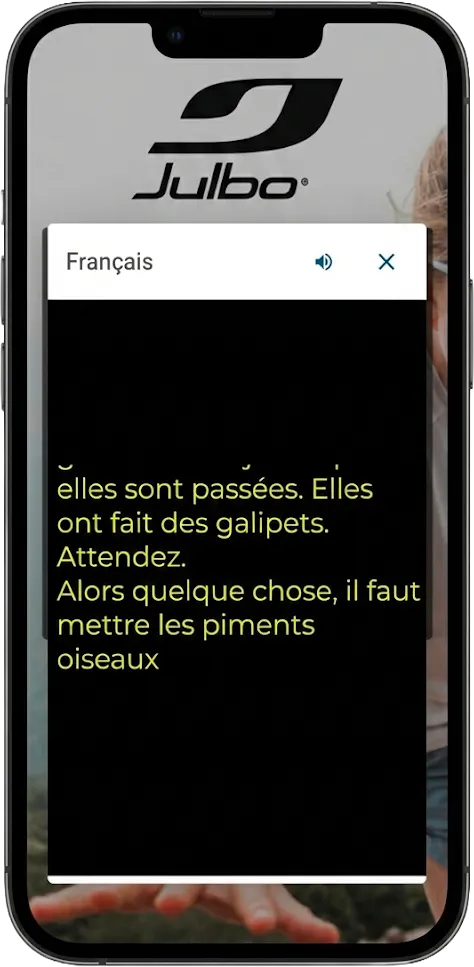
On phones, in the WebApp
Everyone reads at their own pace, from wherever they're sitting. If the event also has interpreting, transcript and languages live in the same WebApp, behind a single QR code.
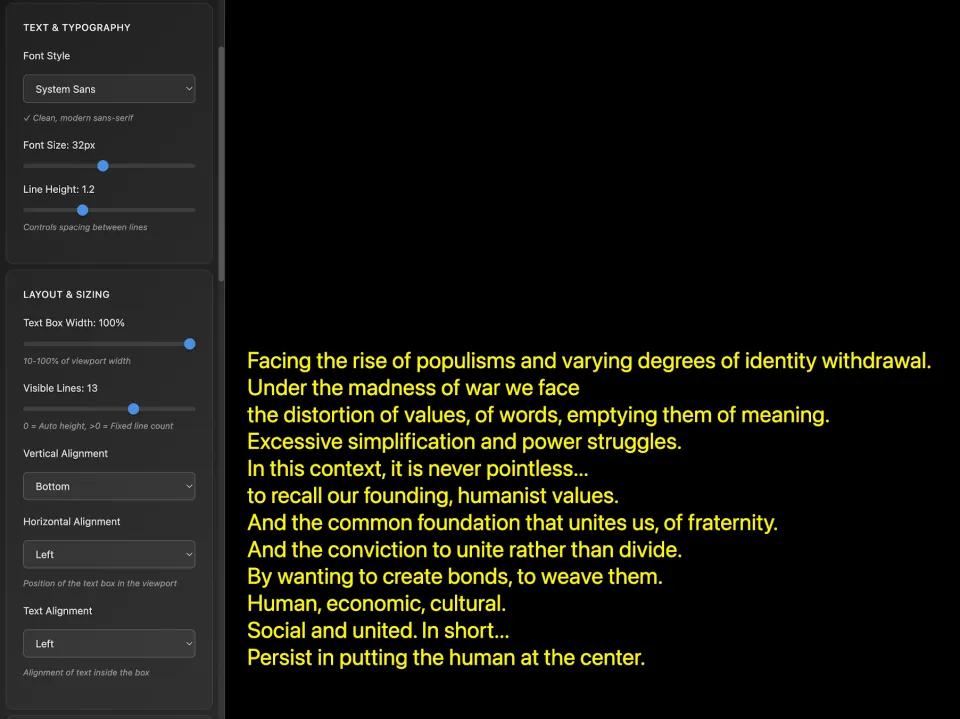
On screens, from the Teleprompter
A web page the control room puts on the monitors, projectors or LED walls already in the room. The audience doesn't have to do anything but read.
What makes the difference
Getting the names right
Before the event, the engine learns the speakers, organisations, acronyms and terms on the programme. Proper names are exactly what separates a readable text from one you have to decode.
People watching the text
Throughout the event, a linguist follows the transcript and a technician is on duty at the RSI Hub in Milan, ready to step in on the audio feed.
Nothing to set up
No screens or equipment to add unless you want them, no app for people to download, no technician in the room.
Your data stays yours
The audio is processed in real time and isn't kept after the service. The AI services we use don't train models on your data.
And after the event
The live transcript can be exported in several formats, including timed ones like SRT. If the text is going to be published, we recommend a reviewed transcript after the event: quick turnaround and more control over the text.
Translations and transcriptsWhat's needed, and who brings it
What we ask of the room is almost always already at the AV desk. We bring the rest.
In the room
Set up by the AV company or the venue
The floor feed from the mixer, with every mic in the room
A computer at the AV desk with a sound card and Chrome, connected to the mixer: the AV company usually has one already
A stable network cable reserved for our stream: Wi-Fi isn't enough for the floor feed
For captions in the room, a browser on each screen: a connected computer, a smart TV or the video mixer
Converso
Before and during the event
The links for the Floor-In, the WebApp and the screens: nothing to install
The AI engine, primed with Context Training on the event's names and terms
Throughout the event, a linguist and a technician following the text from the RSI Hub
A technical test with the room technician
The audience
Nothing to download
Their own phone, tablet or computer: they scan a QR code and read in the WebApp
Or the room screens, with nothing to do
No app to download, no account to create
The details are in the technical sheet we send before the event. We talk to the venue's or the AV company's technician ourselves: you just put us in touch.
Where we've done it
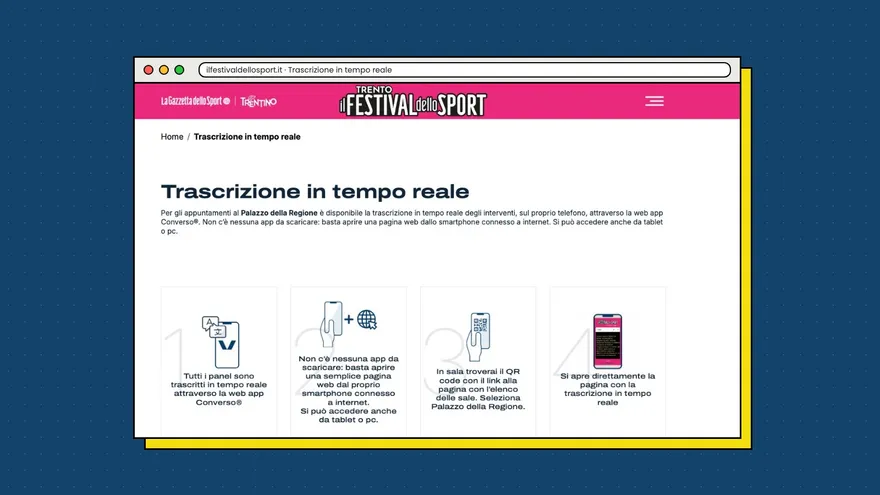
13Talks transcribed live
Festival dello Sport 2026: live transcription on the audience's phones
Trento, Palazzo della Regione and festival venues · October 2026Read the case study
12Rooms captioned in parallel
Twelve rooms captioned, from Milan. FORUM PA 2026
Rome, Roma Convention Center La Nuvola · June 2026Read the case studyWant to make even a single room accessible?
Tell us how many sessions and on which days: all we need is the floor feed from the control room and a QR code.
Get a quoteRelated to transcription